Strategy · 7 Oct 2026 · 9 min read
How to map integrations between business apps effectively
Learn effective strategies to map integrations between business apps. Discover the benefits and tools to enhance your business operations.
By SystemMap
Understanding the importance of mapping integrations
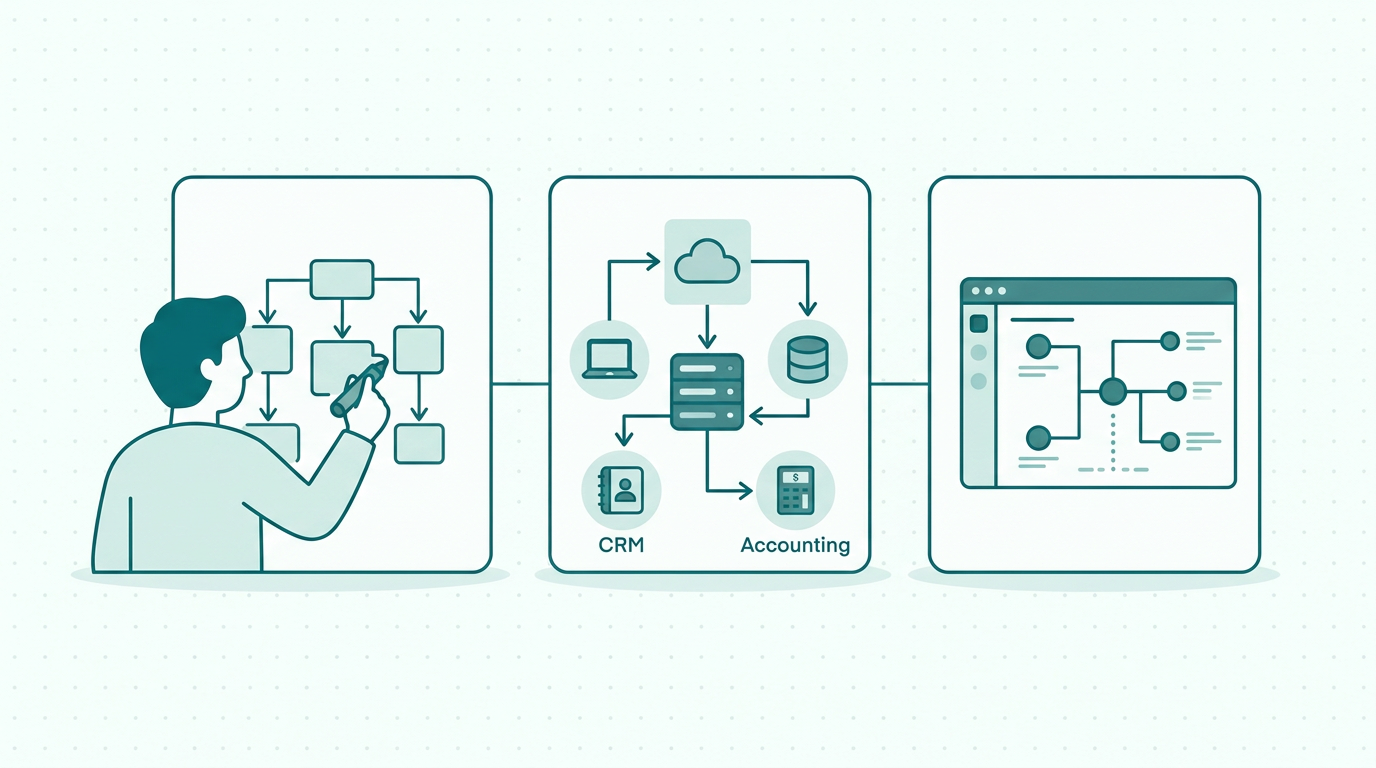
In today's fast-paced business environment, companies rely heavily on various software applications to streamline their operations, enhance productivity, and improve customer service. However, as businesses adopt more tools, understanding how to map integrations between business apps becomes increasingly crucial. Mapping integrations allows organisations to visualise how data flows between different systems, ensuring seamless communication and collaboration. Without a clear understanding of these connections, businesses may face challenges such as data silos, inefficiencies, and increased operational costs. Furthermore, the consequences of poor integration can lead to inaccurate reporting and decision-making, ultimately hindering business growth. This article explores the steps to effectively map integrations between business apps and how tools like SystemMap can help facilitate this process.
Identifying your business applications and their roles
The first step in mapping integrations is to identify all the business applications currently in use within your organisation. This includes not only major software solutions like CRM and ERP systems but also smaller applications that support specific functions, such as project management, accounting, or marketing automation. After identifying these applications, it is essential to understand their roles and how they contribute to your overall business objectives. For instance, a CRM system may be responsible for managing customer relationships, while an accounting tool handles financial transactions. By clearly defining the purpose of each application, organisations can better understand the necessary integrations required for optimal performance. Additionally, involving team members who utilise these applications daily can provide insights into how each tool operates and its dependencies. This comprehensive understanding can help uncover redundancies and opportunities for consolidating tools, ultimately leading to a more streamlined operational framework.
Mapping data flows and integrations
Once the applications and their roles have been identified, the next step is to map out how data flows between these systems. This involves documenting the specific integrations that exist or need to be established, including data input and output points. Mapping data flows can be done using visual diagrams or flowcharts that illustrate the connections between different applications. For example, if your CRM system needs to share customer data with your email marketing platform, it is crucial to detail how and when this data is transferred. Furthermore, considering the frequency of data updates is essential; for instance, real-time updates may be necessary for customer information, while less frequent updates might suffice for historical data. Additionally, it is important to consider any dependencies that may exist; for instance, if one application relies on data from another system to function effectively. By thoroughly mapping these integrations, businesses can ensure a cohesive system architecture that supports their operations and maximises workflow efficiency.
- Identify all business applications in use
- Define the role of each application
- Document data flows between systems
- Consider dependencies and integration points
- Utilise visual mapping tools for clarity
- Assess the frequency of data updates
Utilising tools to simplify the mapping process
While manually mapping integrations can be effective, it can also be time-consuming and prone to errors. Therefore, leveraging tools designed for visualising and documenting IT systems can significantly enhance this process. One such tool is SystemMap, which provides a visual representation of your business systems and their integrations. SystemMap allows you to create a detailed overview of your applications, data flows, owners, costs, and contracts all in one place. By using SystemMap, organisations can easily identify gaps in their integrations, streamline their documentation process, and ensure all stakeholders are on the same page regarding system dependencies. Moreover, the platform's AI-assisted suggestions from uploaded PDF and Word documents can help accelerate this process, making it easier to extract and document important information. During the growth phase, SystemMap is available free of charge, providing an accessible option for businesses looking to optimise their operations. This affordability allows organisations to experiment with mapping tools without financial commitment, making it a strategic choice for businesses of all sizes.
Testing and validating integrations
After mapping out integrations, it is vital to test and validate them to ensure they function as intended. This involves running scenarios that mimic real-world usage to confirm that data transfers accurately between systems without any loss or corruption. During this testing phase, it is also essential to gather feedback from users who interact with these integrations daily. Their insights can help identify any pain points or areas for improvement, ensuring that the integrations truly enhance productivity and streamline operations. Additionally, establishing clear metrics for success can provide a benchmark for evaluating the effectiveness of the integrations. Regular testing and validation should be a part of the ongoing maintenance of your integrations to adapt to any changes in business needs or software updates. It is also advisable to create a schedule for periodic reviews of integrations, as frequent changes in technology or business processes might necessitate adjustments to existing connections. By fostering a culture of continuous improvement and responsiveness, organisations can maintain integration health and performance.
Monitoring and optimising integrations over time
Mapping integrations is not a one-time task; it requires ongoing monitoring and optimisation. As businesses evolve and adopt new applications, existing integrations may need to be adjusted or expanded. Continuous monitoring helps detect any issues promptly, allowing organisations to implement fixes before they escalate into significant problems. Furthermore, analysing the effectiveness of integrations can reveal opportunities for optimisation, such as automating specific processes or enhancing data accuracy. For instance, automated data entry can eliminate human error and speed up workflow, while improved data accuracy can lead to better decision-making. By adopting a proactive approach to managing integrations, businesses can ensure their systems remain aligned with their strategic goals and operational needs. This may also involve training staff to use these integrations effectively and understanding how to leverage them for maximum benefit. Regular feedback sessions with users can help pinpoint areas that require further development or training, ensuring that the team remains engaged and informed.
Benefits of effective integration mapping
The benefits of mapping integrations between business apps extend beyond simply visualising system connections. Effective integration mapping leads to improved data accuracy, enhanced collaboration, and greater operational efficiency. By understanding how data flows between systems, organisations can reduce the risk of data silos and ensure that all teams have access to the information they need when they need it. Additionally, businesses can make better-informed decisions based on accurate and timely data. This level of clarity enables teams to respond swiftly to changes in the market and customer demands. Furthermore, well-mapped integrations can streamline processes, ultimately saving time and resources. For instance, automating the transfer of data between a CRM and an accounting system can reduce manual data entry, thereby allowing staff to focus on higher-value tasks. Overall, effective integration mapping is a vital component of a successful business strategy, as it not only enhances operational efficiency but also supports long-term strategic initiatives.
So, how do you get started with mapping your integrations?
To embark on the journey of mapping your business applications and their integrations, start by assessing your current systems and their roles within your organisation. Engage key stakeholders to gather insights and document your findings. It may be beneficial to hold workshops where teams can collaboratively discuss their software usage and identify integration needs. Next, utilise visual mapping tools, such as SystemMap, to create a comprehensive overview of your integrations. This will enable you to identify gaps and optimise your processes effectively. Additionally, ensure you establish a protocol for testing and validating these integrations regularly to confirm they are functioning correctly. Remember, mapping integrations is an ongoing effort that requires regular testing and optimisation to ensure your business systems remain aligned with your goals. Take the first step today and explore how SystemMap can help you visualise and manage your business systems more effectively.
Future trends in integration mapping
As businesses increasingly rely on a multitude of applications, future trends in integration mapping will likely focus on enhanced automation and AI-driven solutions. Emerging technologies, such as machine learning, can be employed to predict integration needs based on historical data and usage patterns. This predictive capability can facilitate proactive management of integrations, allowing businesses to anticipate issues before they arise. Additionally, the rise of low-code and no-code platforms is making it easier for non-technical users to create and manage integrations, further democratizing the ability to streamline business processes. These tools enable organisations to respond quickly to changing business requirements without needing extensive IT resources. Staying abreast of these trends will be vital for organisations aiming to maintain a competitive edge in the ever-evolving digital landscape.
Common integration challenges and solutions
Despite the myriad benefits of integration mapping, businesses may encounter challenges throughout the process. Common issues include data quality concerns, insufficient documentation, and a lack of stakeholder engagement. Data quality is paramount; if the information being transferred between systems is inaccurate, the entire integration will be compromised. To mitigate this, organisations should implement data validation rules and regularly audit data for accuracy. Insufficient documentation can lead to confusion and errors, so maintaining comprehensive records of integrations and their purposes is essential. Lastly, fostering stakeholder engagement is crucial; without buy-in from all teams involved, integrations may not be utilised effectively. Regular communication and training can help ensure that everyone understands the importance of integrations and how to leverage them to enhance their workflows.
Frequently asked questions
01What is integration mapping?
Integration mapping is the process of visualising and documenting how data flows between different business applications. It helps organisations understand their system connections and identify integration points.
02Why is mapping integrations important?
Mapping integrations is crucial as it helps prevent data silos, enhances collaboration, and streamlines processes. It ensures that all teams have access to accurate and timely data, ultimately improving operational efficiency. This clarity enables swift responses to market changes and customer demands.
03How can I map integrations between my business apps?
Start by identifying all your business applications and their roles. Document the data flows and integration points between these systems. Consider using visual mapping tools like SystemMap to simplify this process and enhance clarity.
04What tools can I use for integration mapping?
There are various tools available for integration mapping, including SystemMap, which offers a visual representation of your business systems and their integrations. These tools can help streamline the documentation process and ensure clarity across your organisation.
Ready to see your own systems clearly?
Map your IT landscape in minutes. Free to start.
Start free