Strategy · 15 Oct 2026 · 9 min read
How to map integrations between business apps effectively
Learn how to effectively map integrations between business apps to enhance operational efficiency and streamline processes.
By SystemMap
Understanding the importance of mapping integrations
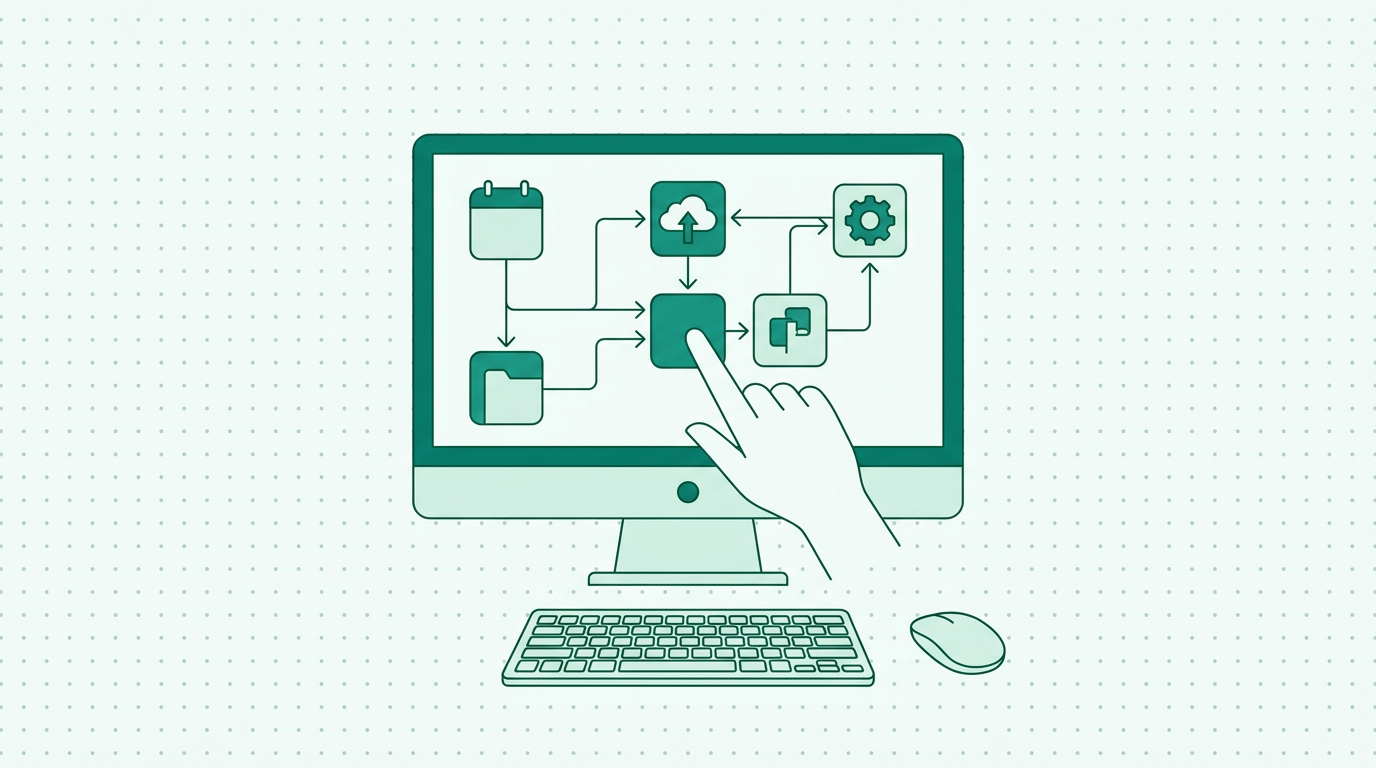
In today's digital landscape, businesses rely heavily on various applications to manage different aspects of their operations. From accounting software to customer relationship management (CRM) tools, the ability to integrate these systems seamlessly is crucial for operational efficiency. Mapping integrations between business apps helps organisations visualise how data flows between systems, identify potential bottlenecks, and ensure that all applications work harmoniously.
However, many companies struggle with understanding their integrations, which can lead to inefficiencies, increased costs, and missed opportunities. This article aims to provide a comprehensive guide on how to map integrations between business apps effectively, highlighting the role of visualisation tools like SystemMap in simplifying this process. By understanding the importance of integration mapping, businesses can make informed decisions about their applications, ultimately leading to better performance and a competitive edge.
Identifying your core business applications
Before diving into the mapping process, it is essential to identify the core business applications your organisation relies on. This includes understanding the purpose of each application, the data it manages, and its role in the overall business workflow. Common types of applications include enterprise resource planning (ERP) systems, project management tools, HR software, and marketing platforms. A thorough assessment of these applications will enable you to map out their integrations accurately.
For instance, if your marketing platform integrates with your CRM, knowing how data flows between these systems will help you optimise lead management and customer engagement. Additionally, it is vital to consider any legacy systems that may be in place, as these can have a significant impact on the integration landscape. Once you've identified your core applications, you can begin documenting their integrations and understanding how they impact various business processes, thus laying a strong foundation for effective integration mapping.
Documenting integration points and data flows
The next step in mapping integrations is to document integration points and data flows between your identified applications. This involves outlining how data is exchanged between systems, including the direction of data flow, the frequency of updates, and the types of data being transferred. Documenting these details can be a daunting task, especially for organisations with multiple applications. However, using a visualisation tool like SystemMap can simplify this process significantly.
SystemMap allows you to create a visual overview of your systems and their integrations, making it easier to understand how data flows between applications. By using such a tool, you can create a clear and concise representation of your integrations, which can be invaluable for both current operations and future planning. Moreover, documenting integration points not only aids in understanding existing workflows but also highlights areas that may require enhancements or modifications, thereby promoting continuous improvement within the organisation.
Analysing integration dependencies and costs
Once you have documented the integration points and data flows, the next step is to analyse the dependencies and costs associated with these integrations. Understanding the dependencies between applications is crucial for identifying potential risks and bottlenecks in your operations. For instance, if one application fails, it may impact the performance of others that rely on it. Additionally, organisations should evaluate the recurring costs associated with these integrations, including subscription fees for third-party tools or additional infrastructure costs.
By analysing these factors, businesses can make informed decisions about their app ecosystem and identify opportunities for optimisation. SystemMap can provide insights into these dependencies and costs, helping you streamline your operations further. Furthermore, it is important to consider the potential return on investment (ROI) for each integration, as this can guide future decisions about application usage and investments.
Creating a visual integration map
Creating a visual integration map is a crucial step that helps stakeholders understand the relationships between different business applications. A visual map provides a quick overview of how applications are connected, which can be beneficial for onboarding new team members, training, and strategic planning. Using tools like SystemMap, you can create a visual representation of your application landscape, including detailed information about system owners, monthly costs, and contracts associated with each app.
This not only enhances transparency but also facilitates better communication among teams. By having a clear visual map, organisations can quickly identify areas for improvement and ensure that their systems align with business goals. Additionally, a visual integration map serves as a living document that can be updated as changes occur, ensuring that your organisation remains agile and responsive to evolving needs.
Maintaining and updating your integration map
Mapping integrations between business apps is not a one-time task; it requires ongoing maintenance and updates. As businesses grow and evolve, new applications may be introduced, while existing ones may undergo changes that affect their integrations. Regularly reviewing and updating your integration map ensures that it remains accurate and relevant.
This practice helps to avoid confusion and potential issues caused by outdated information. Additionally, using a dynamic tool like SystemMap allows you to make real-time updates and adjustments as your business needs change, ensuring that your integration map always reflects the current state of your application ecosystem. Establishing a routine for revisiting your integration map can be beneficial, such as quarterly reviews or after significant business changes, as it encourages a proactive approach to integration management and helps maintain alignment with organisational objectives.
Best practices for effective integration mapping
To ensure that your integration mapping efforts are successful, consider adopting the following best practices:
- Involve stakeholders: Engage relevant teams and stakeholders in the mapping process to gather insights and ensure all perspectives are considered.
- Use visualisation tools: Leverage tools like SystemMap to create clear and informative visual representations of your integration landscape.
- Document changes: Keep a record of any changes made to applications or integrations, and update your map accordingly.
- Regularly review your map: Schedule periodic reviews of your integration map to ensure it remains up to date and useful.
- Train your team: Provide training on how to use the integration map effectively, so all team members can benefit from the insights it provides.
- Foster a culture of collaboration: Encourage open communication and collaboration between teams to ensure that everyone understands their role in maintaining the integration map.
- Set clear goals: Define specific objectives for your integration mapping efforts, such as improving data accuracy or reducing response times, to measure success over time.
The role of SystemMap in integration mapping
SystemMap plays a vital role in streamlining the process of mapping integrations between business apps. By providing a visual interface for documenting systems, data flows, and integration points, SystemMap allows businesses to create a comprehensive overview of their IT landscape. This clarity helps organisations to make informed decisions about their integrations, reducing inefficiencies and optimising operational costs.
Moreover, SystemMap's features, such as version history and controlled snapshot sharing, enable teams to collaborate effectively and keep track of changes over time. This level of organisation and accessibility is essential for ensuring that all stakeholders are informed and aligned. Additionally, SystemMap’s AI-assisted suggestions can enhance the mapping process by offering insights based on uploaded documents, further simplifying the task of documenting integrations and ensuring that no important details are overlooked.
So how do you get started with integration mapping?
Getting started with integration mapping may seem daunting, but with the right approach and tools, it can be a straightforward process. Begin by identifying your core applications and documenting their integration points. Utilise SystemMap to create a visual overview of your integrations and keep this map updated as your business evolves.
By following best practices and involving your team in the process, you can ensure that your integration mapping efforts lead to greater efficiency and improved operational performance. The first step is to embrace the power of visualisation and documentation, which can significantly impact your organisation's ability to manage its IT systems effectively. Additionally, take advantage of the free access to SystemMap during its growth phase, which allows you to explore its features without any financial commitment, making it easier to get started on this essential task.
The future of integration mapping
As businesses continue to evolve and digital transformation accelerates, the future of integration mapping will likely become more sophisticated and data-driven. Emerging technologies, such as artificial intelligence and machine learning, are set to play a pivotal role in automating the mapping process and providing deeper insights into data flows and dependencies. These advancements will enable businesses to proactively manage their integrations, predict potential issues, and optimise performance in real time.
Furthermore, the integration of cloud-based solutions will facilitate more seamless connections between applications, making it essential for businesses to maintain up-to-date integration maps that reflect their dynamic environments. Embracing these trends will be crucial for organisations looking to stay competitive and agile in an increasingly interconnected digital landscape.
Frequently asked questions
01What are business app integrations?
Business app integrations refer to the connections between different software applications that allow them to exchange data and work together seamlessly. These integrations can improve efficiency and streamline processes by automating data transfer and reducing manual input. For example, an integration between a CRM and an email marketing tool can automate the process of transferring contact information and lead data, thereby increasing productivity and reducing the risk of errors.
02Why is it important to map integrations?
Mapping integrations is essential for understanding how data flows between applications, identifying potential bottlenecks, and ensuring that all systems work together effectively. This awareness can lead to improved operational efficiency and reduced costs. By having a clear map of integrations, teams can quickly pinpoint issues, analyse the impact of changes, and develop strategies to optimise their workflows. Additionally, integration mapping helps in compliance and risk management by providing a clear overview of data handling processes.
03What tools can help with integration mapping?
There are various tools available for integration mapping, including visualisation platforms like SystemMap, which allows for easy mapping, documentation, and analysis of integrations between business apps. Other tools may include diagramming software, spreadsheet applications, or even custom-built solutions. However, tools like SystemMap offer a comprehensive approach by integrating visualisation with data documentation and real-time updates, making it easier for teams to manage and adapt their integration landscape.
04How often should I update my integration map?
It is advisable to review and update your integration map regularly, especially when there are changes in your business applications or processes. Regular updates ensure that your map remains accurate and serves as a useful resource for your team. Ideally, organisations should set a review schedule based on their operational dynamics, such as quarterly for stable environments or monthly for rapidly changing ones. This proactive approach helps to mitigate risks associated with outdated information and ensures that the integration map continues to support strategic planning and decision-making.
Ready to see your own systems clearly?
Map your IT landscape in minutes. Free to start.
Start free